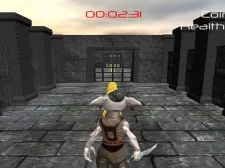
KOGAMA: MAZE

KOGAMA: MAZE AreaPlay
KOGAMA: MAZE
Start Game

KOGAMA: MAZE AreaPlay

About KOGAMA: MAZE

Encourages focus, reaction, and smart decisions.

KOGAMA: MAZE is one of the exciting experiences available on AreaPlay Arcade.

A standout title in the AreaPlay Arcade collection.

Players enjoy the balance between challenge and accessibility.

Easy to understand, yet rewarding to master.

Optimized mechanics help players improve gradually.

Suitable for both short play sessions and extended gameplay.

Quick start gameplay keeps users engaged.

Perfect for players of different skill levels.

Designed to provide fast, smooth browser-based entertainment.

A strong title in the All Games category.

Every session offers a fresh and engaging experience.

Game Features

  • Simple and clear interface
  • Modern browser optimization
  • Engaging level flow
  • Fast loading system
  • No installation required
  • Replay-friendly design
  • Works on desktop and mobile
  • Balanced difficulty curve
  • Smooth and responsive controls

Benefits of Playing

  • Encourages strategic thinking
  • Improves quick decision-making
  • Helps develop timing skills
  • Improves reaction speed
  • Supports mental focus
  • Enhances concentration

Gameplay Tips

  • Observe patterns before acting quickly.
  • Replay sections to perfect your skills.
  • Stay calm during challenging levels.
  • Adjust strategy depending on situations.
  • Focus on precision instead of speed at first.
Maze runner

Final Thoughts on KOGAMA: MAZE

Great for casual fun or skill improvement.

A smooth browser gaming experience.

Replay value keeps players returning.

Blends challenge with accessibility.

KOGAMA: MAZE provides an enjoyable and balanced experience.

Ideal for players of all ages.

A strong addition to AreaPlay Arcade.


Categories and tags of the game : Agility, Kogama, Maze, Multiplayer, Runner

KOGAMA: MAZE - How to Play

W — Move forward. S — Move backward. A — Move left. D — Move right. Space — Jump. K — Respawn. Left Mouse Button — Shoot. V — Drop weapon. E — Use item. Q — Holster weapon. Esc or M — Menu/Quit.